 DigitalDesk
StudentPortal
Learn. Test. Track your progress.
Your comprehensive platform for professional training, testing, and compliance management — access resources, complete assessments, and track progress toward certification and CEU requirements.
- Access training materials
- Take exams
- Track scores & CEUs earned
- Attend CEU opportunities
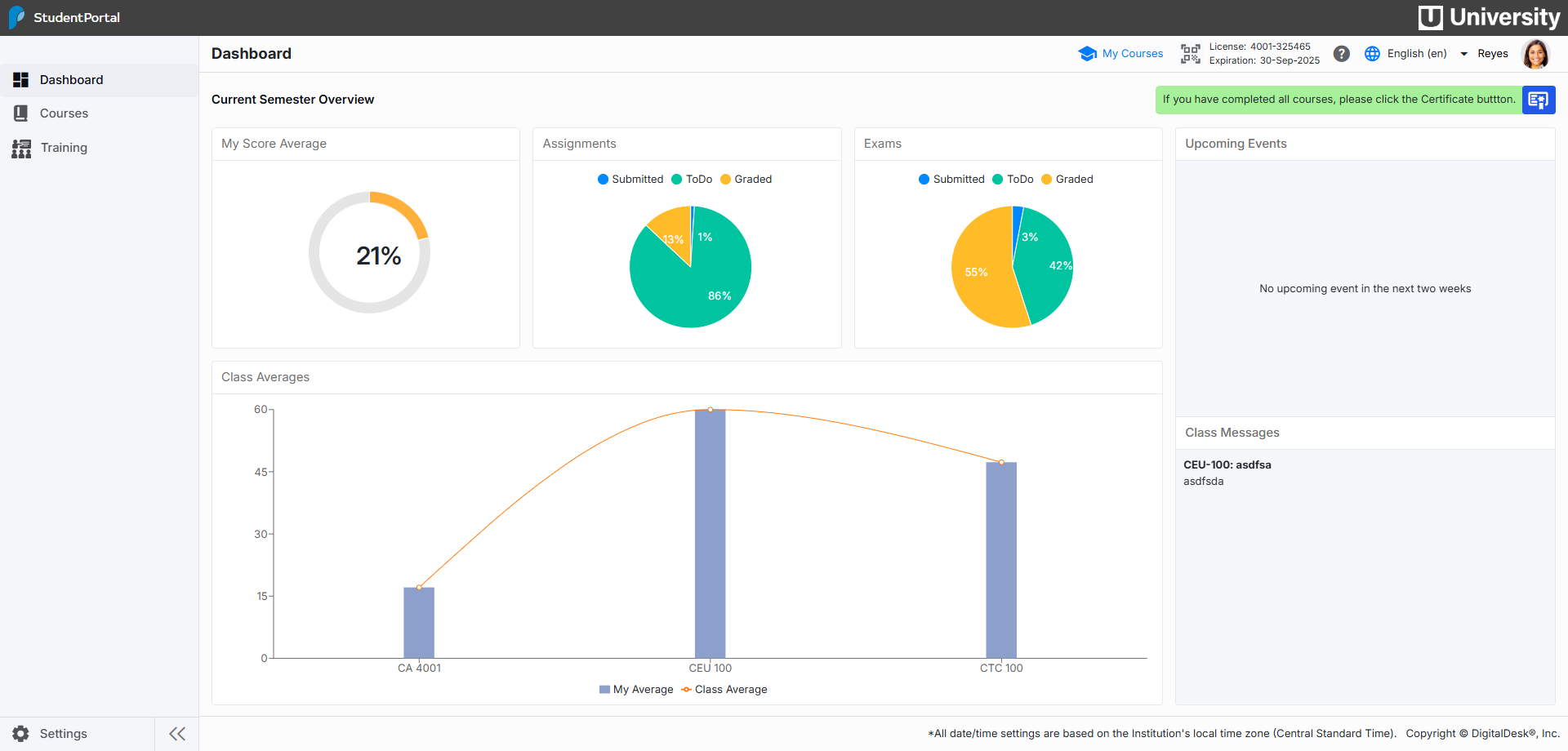
Portal Dashboard
Simple | Powerful | Dynamic
StudentPortal was designed with the student in mind. Completion progress charts
and scores help students focus on what's important. An event calendar keeps students aware
of upcoming assignments, exams meetings, etc.
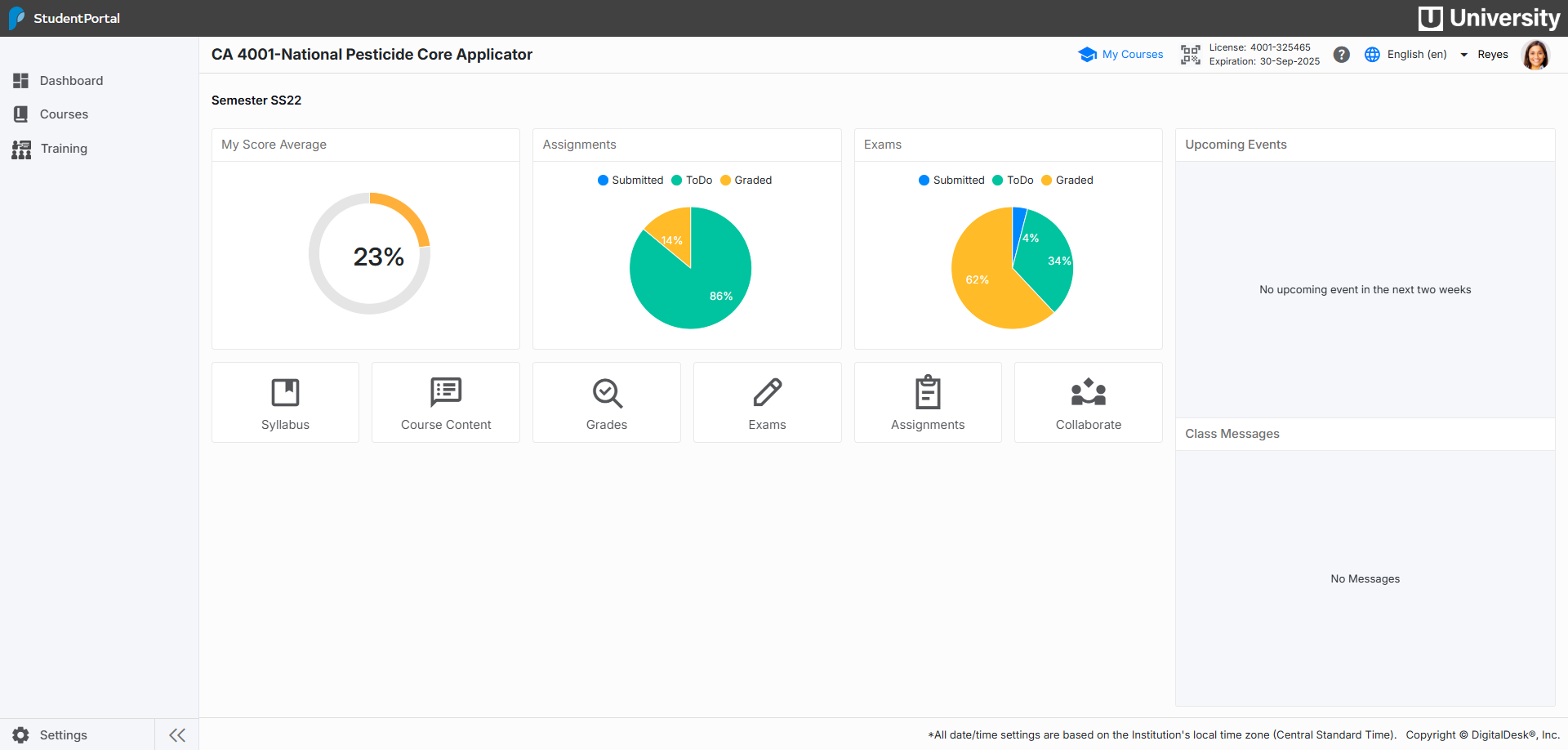
Course Dashboard
The course dashboard show course relevant charts and provides access to the course syllabus, lecture notes, grades, exams assignments and collaboration features.
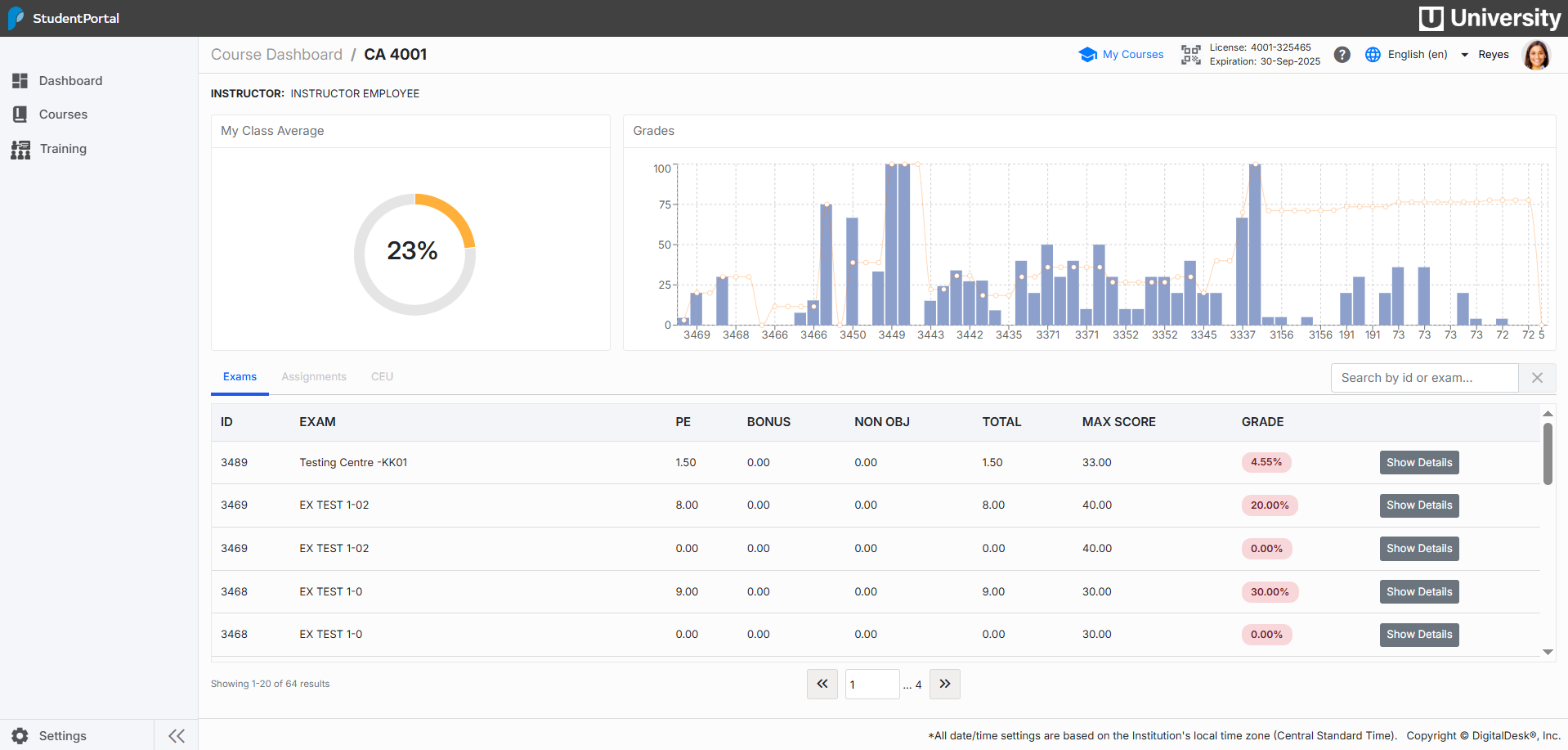
Grades
Course grades for exams and assignments are displayed both graphically and in table format. Grading feedback is provided to assist students in improving their academic goals and is part of the overall institution student success initiatives.
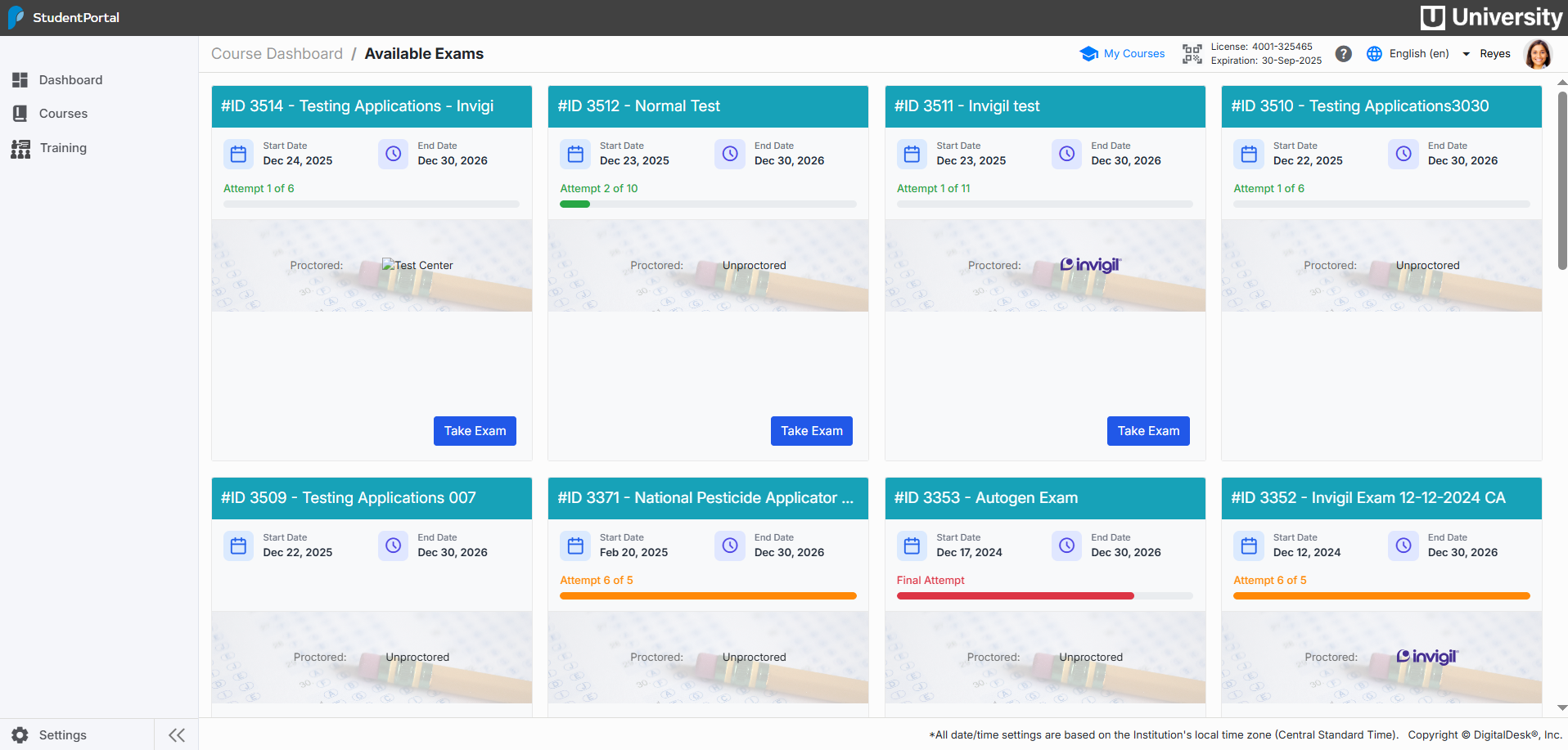
Exams
Available exams are displayed in cards providing students with the exam properties to include proctoring method to be used.
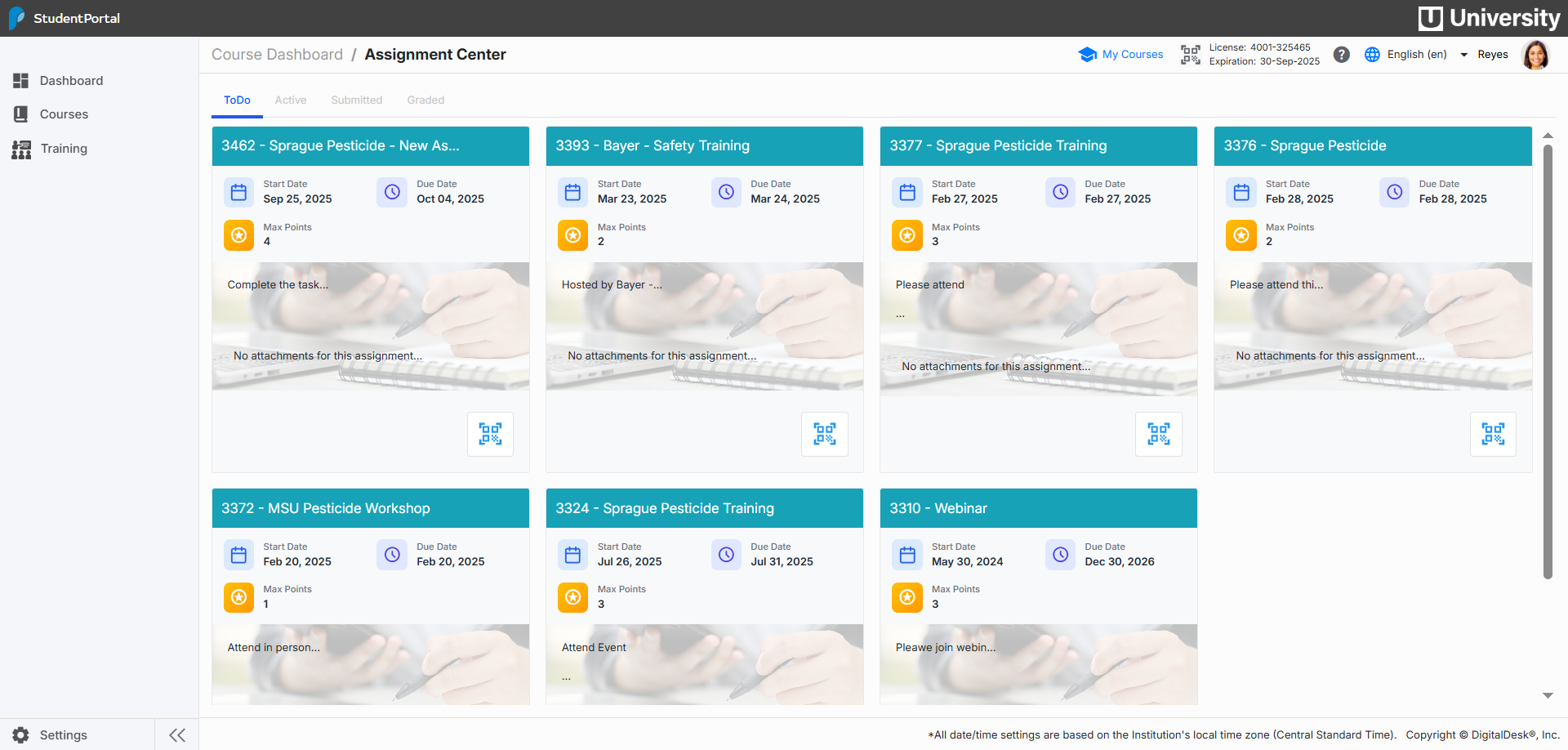
Assignments
Assignments are viewed in cards and have color-coded status indicators showing New, Active, Submitted and Graded. Clicking Details button provides full instructions with a student response section.
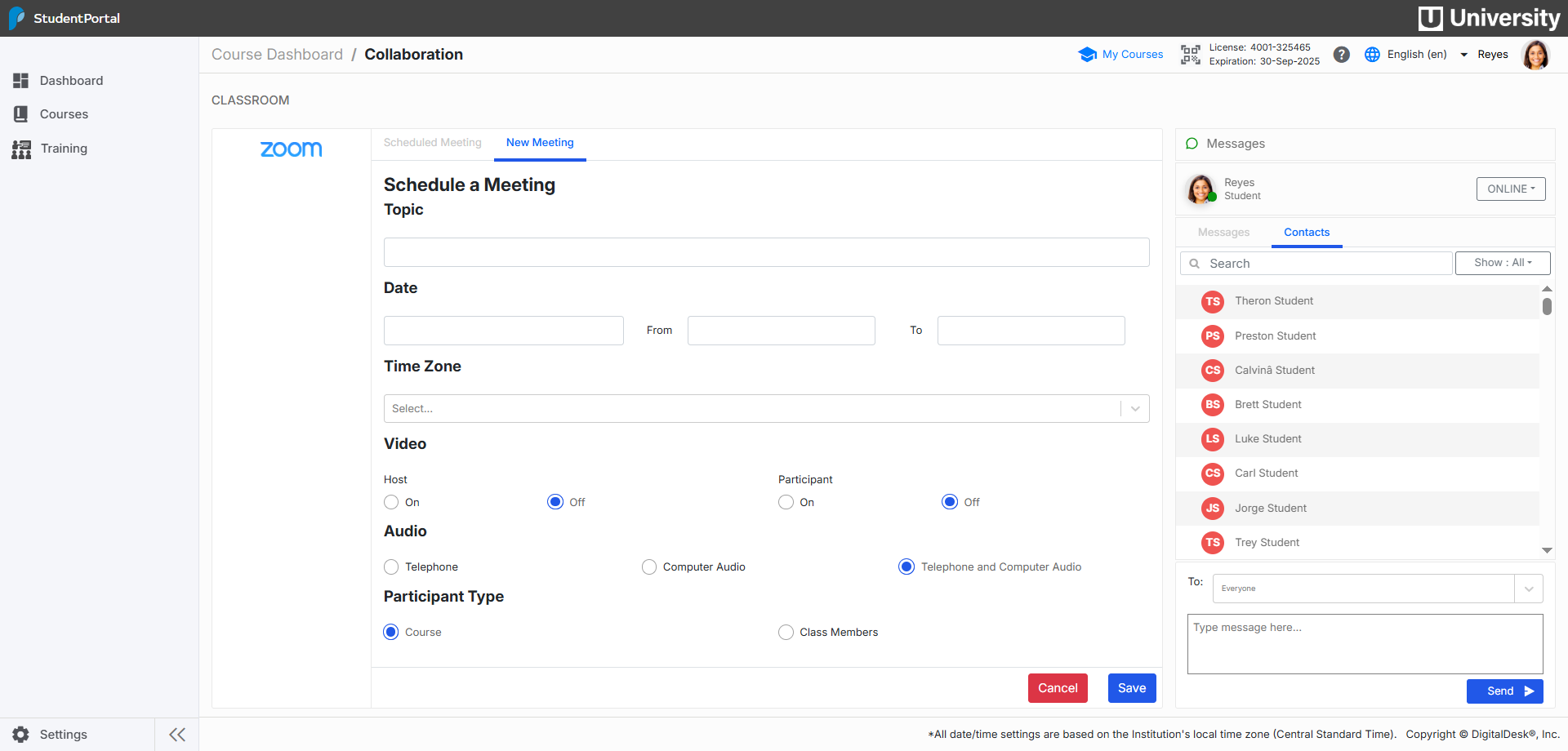
Collaboration
Class and student scheduled meetings are listed as well as an instant messaging tool to communicate with classmates and instructor.